How to View Payment History and Payment Modes on Sales Invoices
Written By Team Flobiz
Last updated Over 1 year ago
Overview:
Track all payment transactions for an invoice, including UPI, cash, or card modes, directly within the invoice preview.
Prerequisites:
Feature available only for Sales Invoices
Ensure the invoice has at least one payment linked
Step-by-step instructions:
Open Sales Invoice from the Sales section
Click to preview any invoice
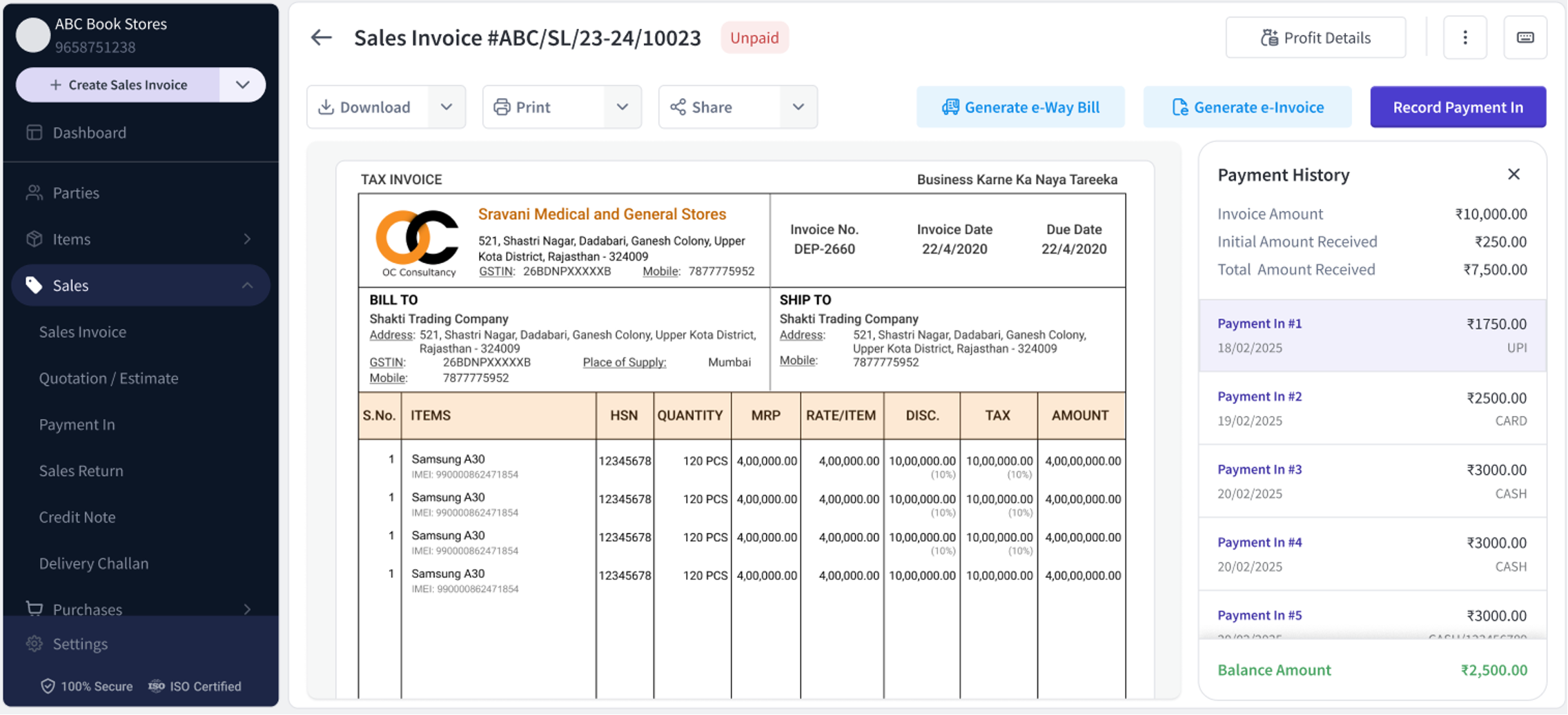
On the right panel, click Payment History
View and click through payment records
Invoice Amount
Initial Amount Received (advance)
Total Amount Received
Balance Amount
Payment Entries: Payment In #, Date, Amount, and Mode
To add payment, click “Record Payment In”
Payment history section on the right
Was this helpful?
Still need help? Share an idea