How to Delete and Restore Bank Accounts
Written By Team Flobiz
Last updated Over 1 year ago
Overview:
Learn how to delete outdated or incorrect bank accounts from your myBillBook and restore them if needed.
Prerequisites:
Admin-level access to perform deletion.
Bank account should not be linked to active GST/TDS filings.
Step-by-step instructions:
Open the app and go to Cash & Bank.
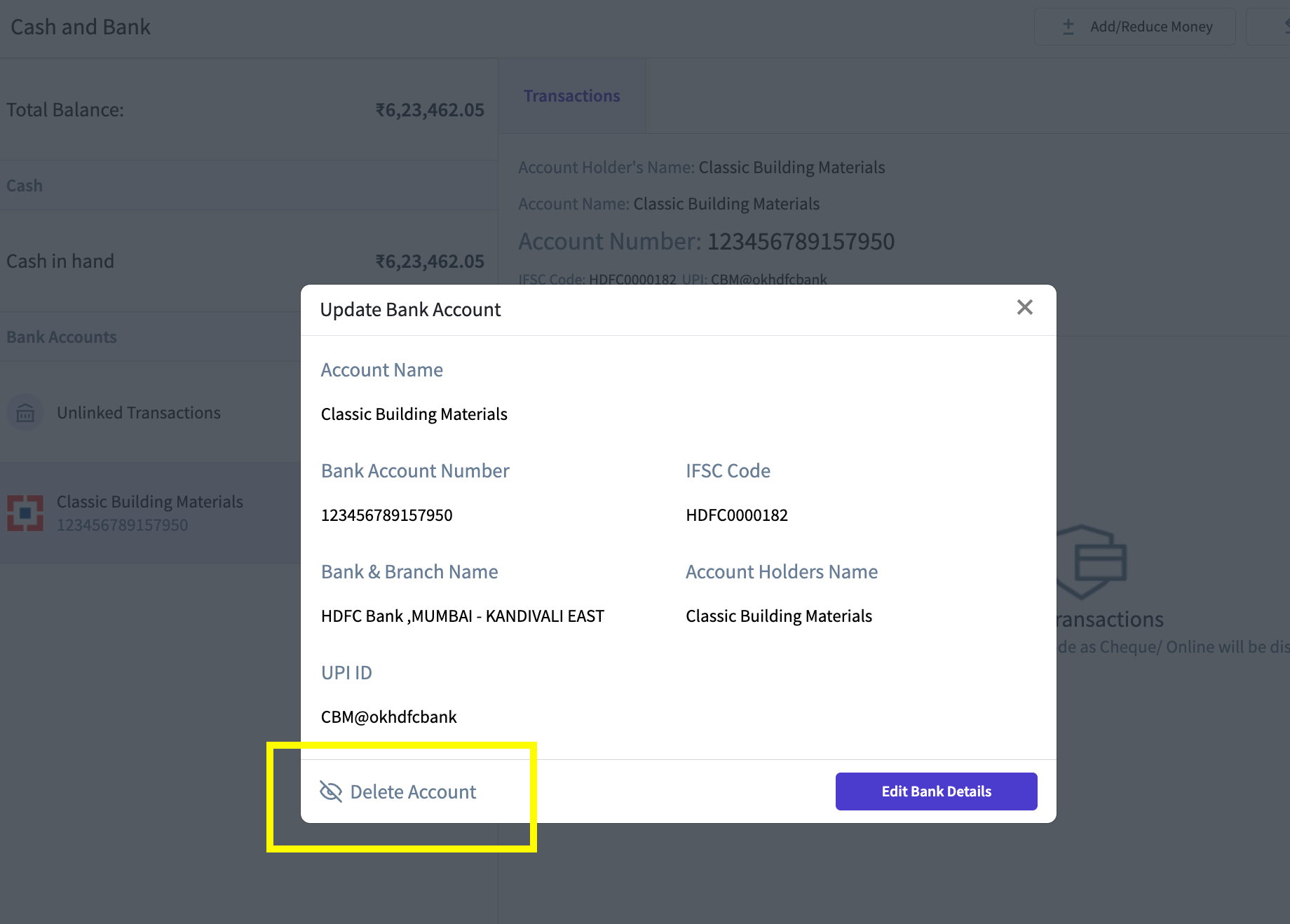
Select the account you want to delete.
Tap the Delete button.
Confirm your action via the popup.
To view or restore deleted accounts, use the Active/Deleted filter.
Click Restore if needed.
Screenshots:
FAQ
Can I delete accounts with transactions?
Can I delete accounts with transactions?
Yes, but historical transactions will be retained.
Can non-admins delete accounts?
Can non-admins delete accounts?
No, they can only request deletion.
Was this helpful?
Still need help? Share an idea