How to Email Reports from Mobile App
Written By Team Flobiz
Last updated Over 1 year ago
Overview:
Learn how to email any report directly from the mobile app in PDF or Excel format using the new bottom sheet option.
Step-by-step instructions:
Open any report on the myBillBook mobile app(e.g., GSTR1, Sales, Stock).
Tap the PDF, Excel, or JSON icon.
Choose Email from the bottom sheet.
Enter your email and optionally your CA’s email.
Tap Send. The report will be delivered via email.
Screenshots:
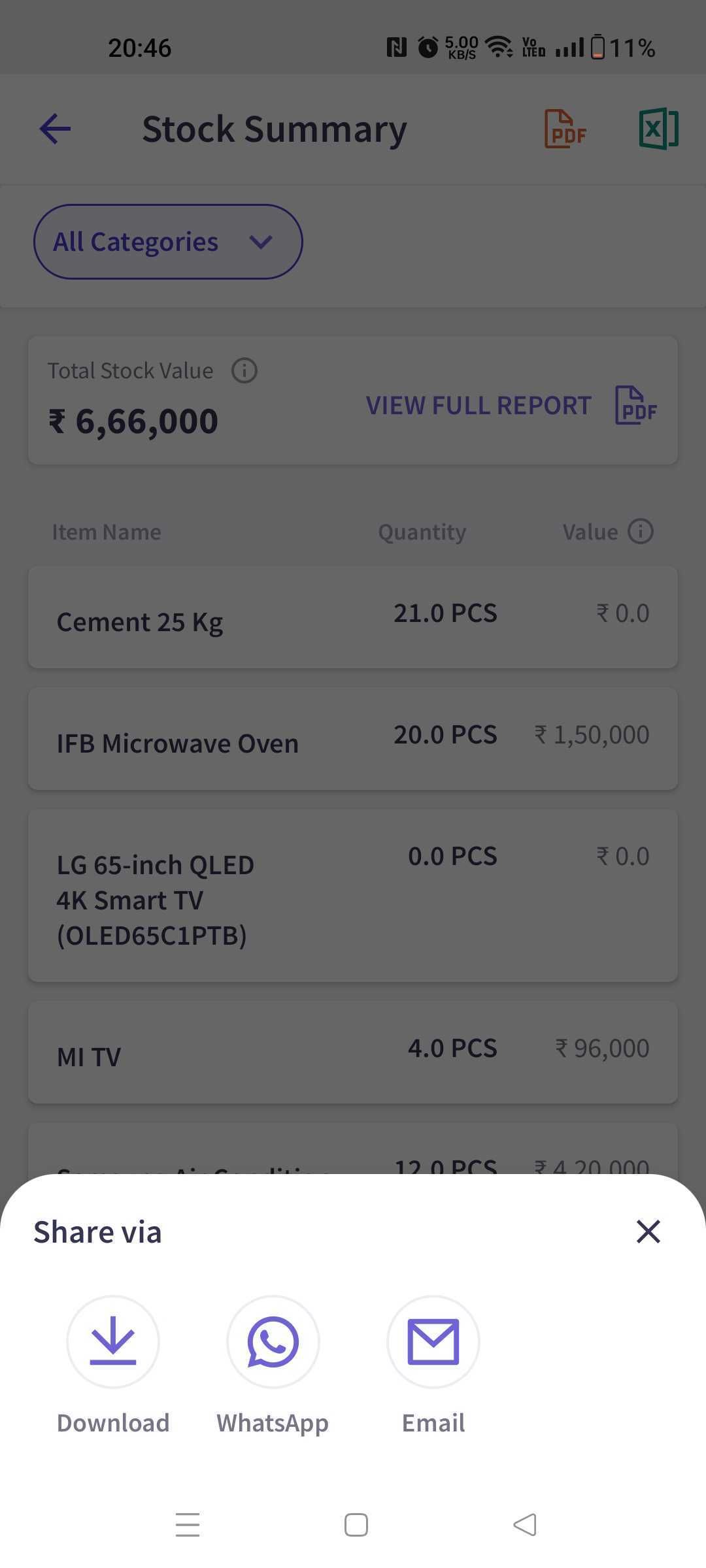
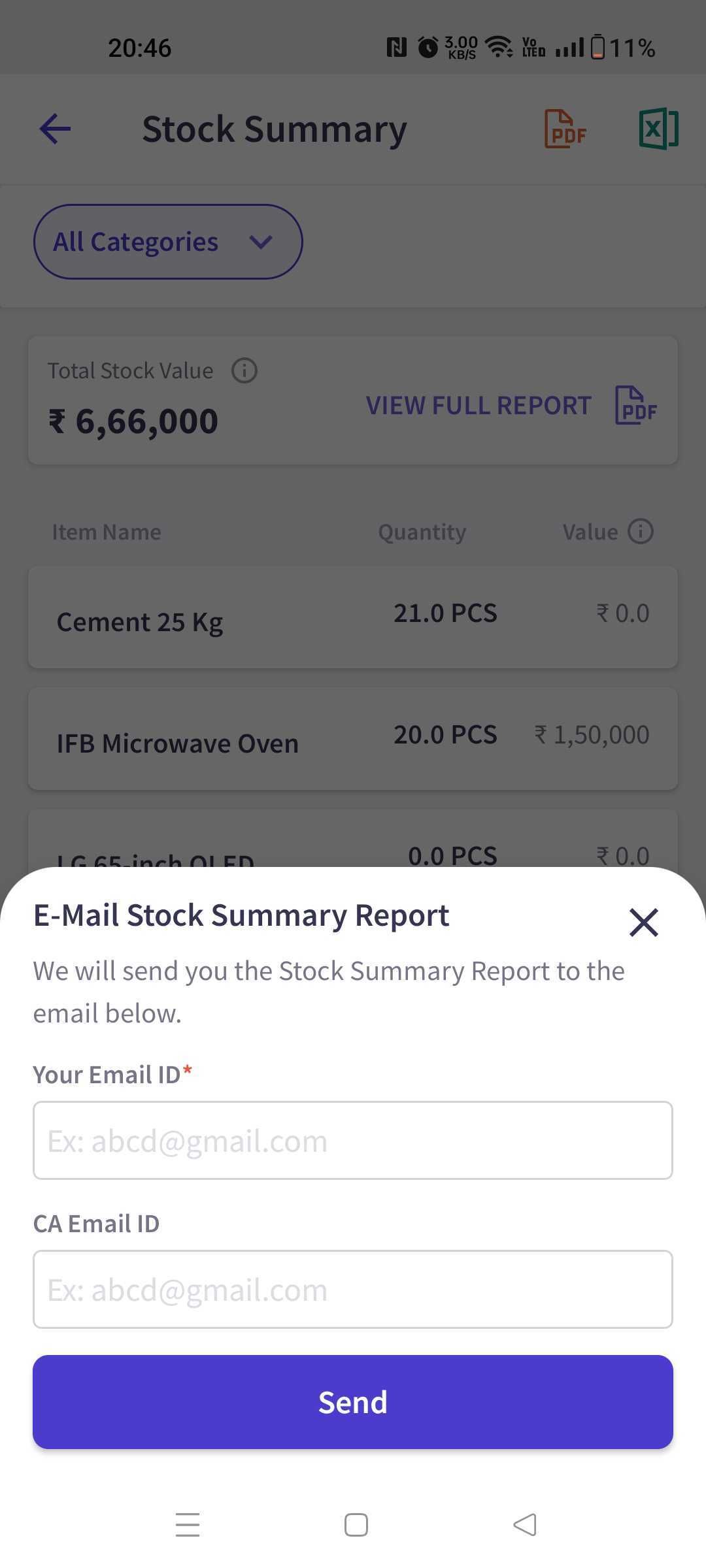
FAQs:
Will my email get saved for future use?
Will my email get saved for future use?
Yes, your email and CA’s email are auto-filled next time.
Was this helpful?
Still need help? Share an idea